Centralia, MO
(573) 682-1080

For sale barns

Equip your barn for performance

Ten modules that run a sale barn from the first check-in to the final custodial report, built by people who know the auction business inside and out.

Chapter 01

Where sale day breaks, and what holds

Sale day breaks in three places: the clerk who can't keep up with the auctioneer, the lien nobody caught at check-in, and the balancing that drags on after the last pen sells. The modules below are built around those three.

Clerking is a fast-paced position, and accuracy is key. Every function in Ring Clerking can be done from the keyboard alone, weighing takes one key, and a split screen lets the clerk work ahead while the auctioneer finishes the previous group. If a ticket needs fixing, the last one or any earlier saved ticket can be edited.

Liens live at the door. Put a lien on a seller and it comes up every time that seller's record is opened, in Check-In or from the office. At the far end of the day, Custodial Balancing reconciles your checks from the bank statement and keeps accounts receivable and your custodial account balance in front of you.

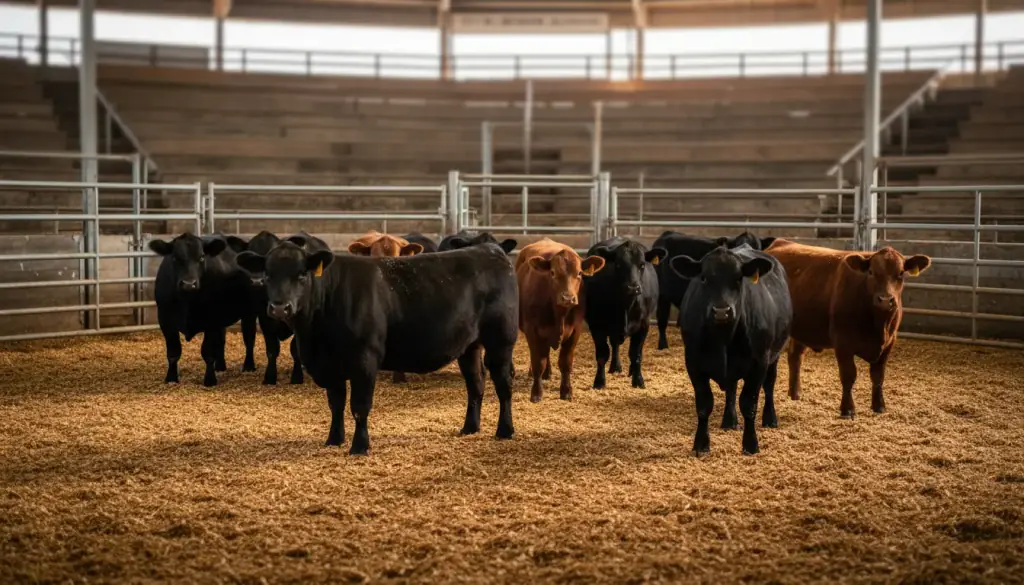
Black and red angus cattle standing in a sawdust sale ring behind galvanized pipe gates, with empty bleachers behind

Black and red angus cattle standing in a sawdust sale ring behind galvanized pipe gates, with empty bleachers behind

Ten modules that work as one system

Check-In takes the seller and the animals, by slip or tag. Ring Clerking records the sale, and Video Capture records the audio and video behind it. Penning follows each group out of the ring, the Office handles hauling, commission, vet charges, checks and invoices, and Custodial Balancing closes the books.

Out front, the Auctioneer Screen and up to five Info Screens keep the room informed, and Tack Clerking runs the tack sale with its own quick seller registration. Every module is listed below with what it does in the barn.

It is a true Windows program with familiar menus, so part-time office staff are not learning something strange on top of a busy sale.

Chapter 03

After the sale, the answers are in the reports

Over 50 reports in the Reports program cover Check Register and Invoice Listing, Market Reports and a long list more, and the Office program carries several of its own.

History Reports show Seller and Buyer history, Seller/Buyer Detailed History, and Gross $/Head sold. Beef Council & Pork Checkoff reports are there, and so are the uncleared checks and accounts receivable lists.

There are many more, and if your barn needs one that isn't there, custom reports can be created to fit. Buyers' invoices can go out by email straight from the office workstation through Microsoft Outlook.

"The components all tie together and work together effortlessly." Mike & Lori Vanmaanen, Eastern Missouri Commission Company, Bowling Green, MO.

All ten modules

Every module, by name

Three carry most of sale day, so they come first. The other seven follow, grouped by where they work in the barn. Want to see them running? Read what named sale barns say or ask for the demo videos.

Featured module

Ring Clerking

Clerking is a fast-paced position, and accuracy is key. We created the most clerk-friendly system on the market.

Weighing
1 key
Keyboard
All the functions can be done with the keyboard only, with an on-screen help menu.
Split screen
Keep work ahead while the auctioneer is finishing up the previous group.
Fixes
Edit the last ticket or any previous ticket that was saved, and put a hold on the check from the block.
Buyers
Buyers can buy on numbers, names, or both.
Re-runs
Resell or re-run an animal or group of animals from a previous transaction. Combine multiple drafts or split animals off of a draft quickly.
Featured module

Video Capture

This will save you time and money and keep your customers happy.

Records
Audio and visual for Ring Clerking.
Replay
Right-click in scale tickets to view the individual video clip of that transaction, any time, from any computer with the office program.
Storage
Videos are stored automatically, with a delete date you set.

Featured module

Custodial Balancing

The end of the sale is where a barn either closes up quickly or sits in the office. This module is the bank side of the day.

Reconcile
Reconcile your checks from the bank statement.
Tracks
Accounts receivable, and your custodial account bank balance.
Adjusts
Make deposits or adjustments to the custodial account.
Prints
The uncleared checks list or the receivable list.

The other seven

From the door to the office

Before the ring

Check-In

Add, edit or select a seller from the master address list. Liens can be put on a seller any time that seller's record is brought up. Check livestock in by slip or tag, single tags or group tags, add a description of the animals, and add trucking, vet, feed or miscellaneous charges.

Tack Clerking

Quick registration of sellers through the office program. Select sellers by name or lot number, use the free-form area for any description or item, and use the repeat key for items you sell several of. The last five sales show on the bottom of the clerk screen.

In the ring and on the screens

Auctioneer Screen

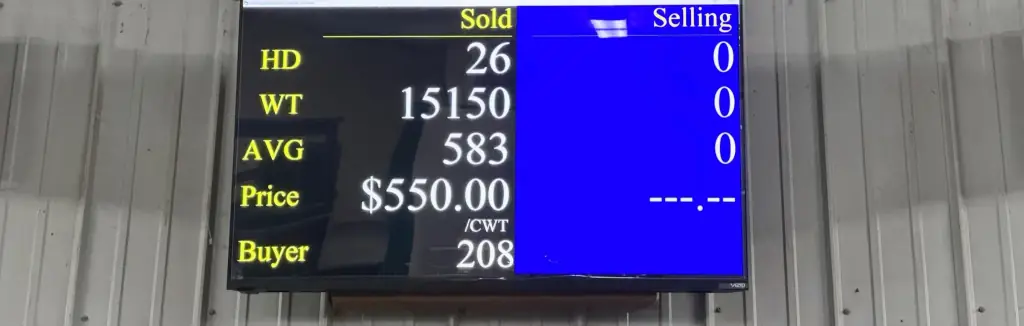
A TV screen for the auctioneer showing what is selling and what just sold. The top half shows seller, head count, total weight, average weight and comments such as vaccinated or castrated. The bottom half shows head, total weight, average weight, bid price, price per head, the buyer's name and the buyer's number of previous sales.

An auctioneer board in use over a sale ring, showing Sold, head 26, weight 15150, average 583, $550.00 per CWT and buyer 208, with a blue Selling panel beside it

Penning

The penner can view a summary of all livestock penned for a particular buyer, and change pen, tag, head, price and buyer. The pen goes on the screen as animals leave the ring, and if a smaller pen gets too full, all the livestock can move to a different pen.

Info Screen

Configure up to five screens to advertise your barn or future sales. A scrolling screen shows how many sellers and head have checked in, sold and are left to sell, with an ongoing market report of all classes sold today.

In the office

Office

Hauling, commission, vet charges, writing checks and printing invoices, the simple usual tasks and the more complex ones. Email buyer's invoices directly from your workstation using Microsoft Outlook, handle buyer trades in a few clicks, add liens from the office, and view sales dating back to the day you started on the system.

Reports

Over 50 reports in the Reports program, plus several in the Office program. Check Register and Invoice Listing, Market Reports, History Reports (Seller and Buyer history, detailed history, Gross $/Head sold), Beef Council and Pork Checkoff, and uncleared checks and accounts receivable. Custom reports can be created to fit your barn.

Running a dealership instead of a sale barn?

Dealers have their own three modules, modeled on the ring program. The demo videos are password protected, and the password comes by phone.