Choosing Auction Software for Your Sale Barn: Questions to Ask
Any vendor can show you a good demo, so the useful work is knowing what to ask before you watch one.
September 30, 2026 · 4 min read
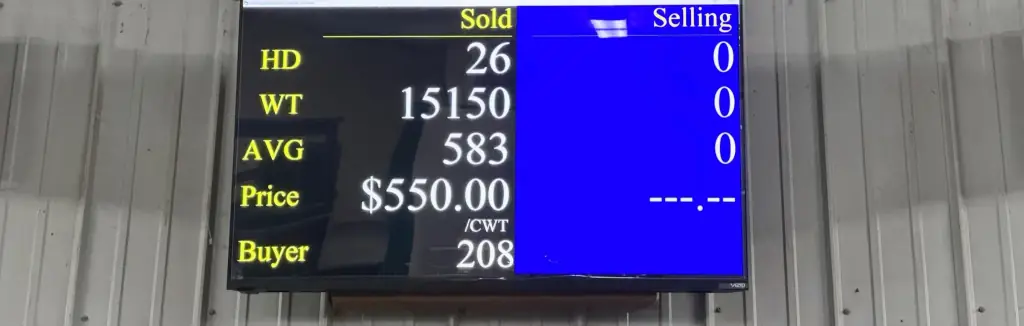
Changing auction software is one of the bigger decisions a sale barn makes. The program touches every sale, every seller and every buyer, and you will be living with the choice for years. Most barns that switch are leaving something that has gotten old, and they remember exactly why. That memory is the best starting point for evaluating what comes next.
Start from your worst sale day
Before you look at any vendor, write down what went wrong on your worst recent sale day. Maybe the system froze. Maybe a clerk could not fix a ticket. Maybe settlement ran until midnight. Those problems are your real requirements, and they are more useful than any feature list a salesperson will hand you.
Stephanie Barnett at Kentucky-Tennessee Livestock Market in Guthrie, KY, described her old system this way: "Our old system was custom built in the 1990's and was simply out-of-date." She added: "I constantly worried about the system failing." Worry like that is a requirement too, and a fair one.
Questions to ask every vendor
These questions work on any vendor, including ours. The answers are worth more if you ask each vendor the same ones and write the answers down.
- Who is on the phone when something breaks during a sale, and how do they reach your computer?
- Can a clerk run the ring from the keyboard, and can they fix an old ticket without losing their place?
- What happens to the check-in, clerk, pen and office work when one person leaves and another starts?
- Which reports come with the program, and can the vendor build one you need that is not on the list?
- Does it run on ordinary hardware, or does it need something special?
- Can you talk to a barn that has used it for years, not months?
- How is the quote built, and what does it include?
How U.S. Livestock Systems answers
Support is 24/7 by telephone and remote access, from a family business in Centralia, MO. Randy Power, the founder, has been in livestock auction software since 1997, and he works with two of his children in the company. The program has been a true all-Windows system since the company teamed up with Amstar Software in 2004, and the company says it uses current hardware and is not hardware specific.
On the clerking and office side, there are ten modules: Custodial Balancing, Check-In, Office, Ring Clerking, Video Capture, Penning, Reports, Info Screen, Auctioneer Screen and Tack Clerking. Ring Clerking runs from the keyboard only. The Reports program has over 50 reports, and the company will create custom reports to fit a barn. The Info Screen can drive up to five screens for advertising your barn or future sales. The Auctioneer Screen puts what is selling and what just sold in front of the auctioneer.
Quotes are custom, built around your barn's specific needs, so nobody can give you a number without talking to you first. That is worth saying plainly, because it is the question most barns ask first.
If you buy and resell, ask for the dealer side
A livestock dealer does not run a ring, but has the same accuracy problem on the buying and resale side. U.S. Livestock Systems has four dealer modules. Dealer Clerking records purchases from farms or markets by the head, weight or total price, applies shrink as needed, and puts every transaction into inventory automatically. Resale from Inventory lets you select livestock, choose a buyer from your customer database and add them to an invoice. The Dealer Resale page lets you adjust price and weight, including typing in a new weight when animals are reweighed. Dealer Office prints purchase checks and buyer invoices and runs reports on inventory, sales and purchases.
See it before you decide
A demo tells you whether the screens make sense to you. A reference call tells you whether they held up. Both matter. The U.S. Livestock Systems demo videos are password protected, and the password is given out over the phone, which also means you get to ask your questions to a person the first time you call.
Mike and Lori Vanmaanen at Eastern Missouri Commission Company in Bowling Green, MO, said of their own switch: "US Livestock Systems is an easy system to use and understand. The components all tie together and work together effortlessly." That is one barn's experience, published by the vendor, so treat it as one data point and go collect a few more.
To get the demo video password or to ask for a custom quote, call U.S. Livestock Systems at (573) 682-1080. Have your worst sale day written down when you call. It is the fastest way to find out whether the program fits.
U.S. Livestock Systems, Inc., (573) 682-1080
Call (573) 682-1080More articles
Where the Hours Go on Sale Day
The ring moves as fast as the cattle do, so the hours that push a sale past dark are almost always somewhere else in the building.
Why Keyboard-Only Ring Clerking Protects Your Numbers
The clerk's screen is where every invoice, check and report begins, so attention saved there pays off all the way to settlement.